Members & Coaches
How do I import members in bulk?
Updated
If you're bringing a whole roster over — or just adding a lot of people at once — you can upload a spreadsheet instead of inviting members one at a time.
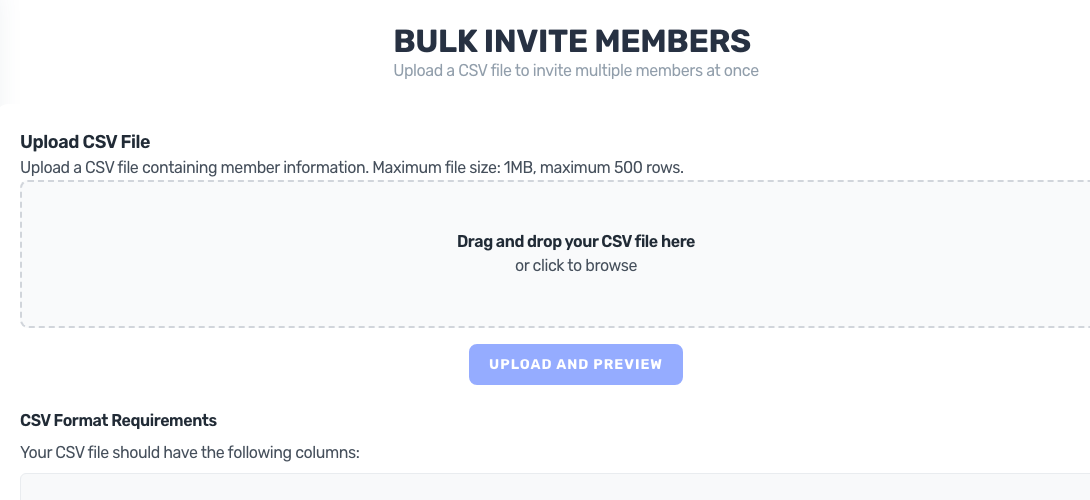
Prepare your spreadsheet
Save your member list as a CSV with these columns:
- email — required, one per person
- first_name — optional
- last_name — optional
-
role — optional;
memberoradmin(anything else defaults to member)
Any other columns are ignored, so it's fine to export everything and leave the extra data in. You can import up to 500 rows per file.
Upload and preview
- Open your gym as a gym admin and go to Manage Members.
- Choose the option to import members from a spreadsheet and upload your CSV.
- BoxBoard shows you a preview: which rows are ready to invite, and which were skipped (bad email, duplicate, or already in your gym). You can download a report of the skipped rows to fix and re-upload.
- Confirm the import.
What happens next
Invites go out to everyone on the list within a few minutes, each with a personal link to join your gym. People already in your gym are skipped automatically, so it's safe to re-run an import.
Good to know
- This imports your member list only — it invites people to join. It does not bring over their past scores, PRs, or workout history. To migrate that data from another platform, see Switching to BoxBoard from another platform.
- Invite links are valid for 14 days; you can resend an expired one any time.