Billing & Subscriptions
How do I pay for my gym membership?
Updated
If your gym collects dues through BoxBoard, you can set up and manage your membership right in the app. Your payment goes directly to your gym — BoxBoard never sees your card number.
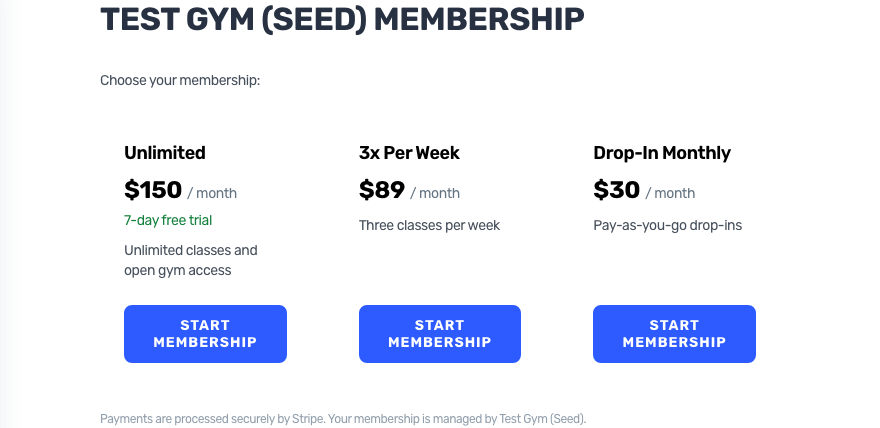
Start your membership
- Join your gym on BoxBoard (usually from an invite link).
- Open My Membership in the menu, or tap the membership card on your dashboard.
- Choose your membership, tap Start membership, and enter your card on Stripe's secure checkout. Apple Pay works too.
If your plan has a free trial, your card isn't charged until the trial ends. Stripe emails you a receipt for every payment, and the charge shows your gym's name.